
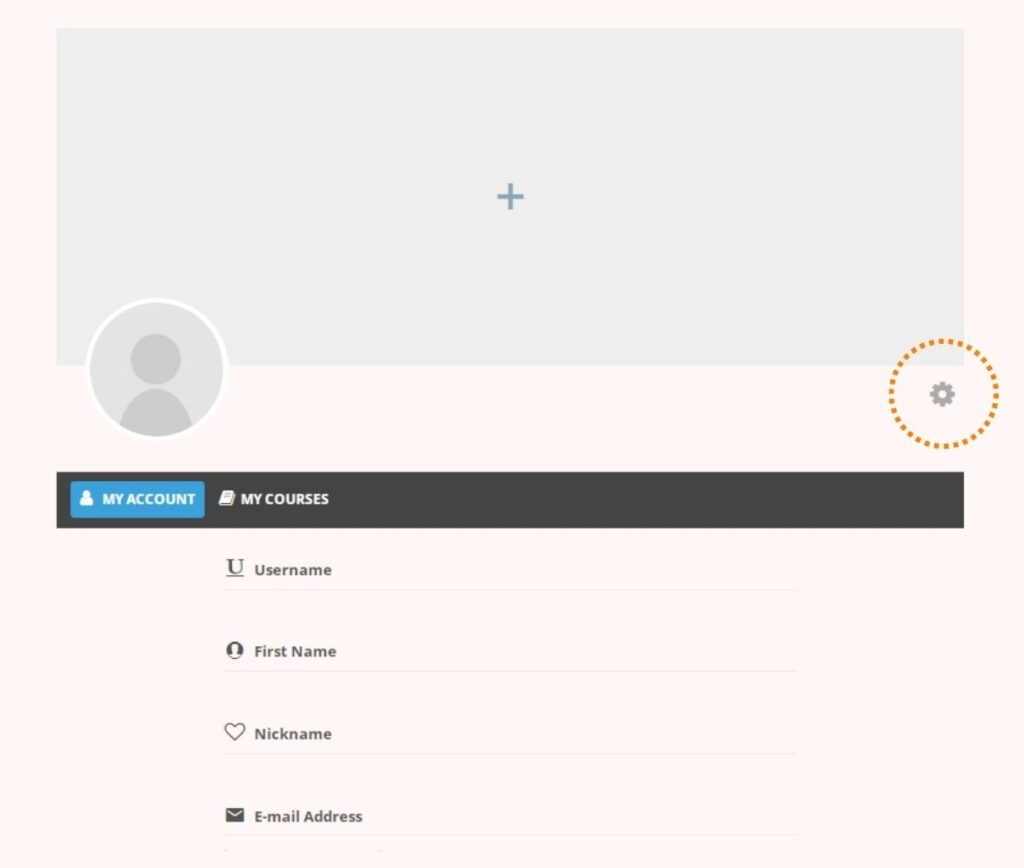
- Navigate to “My account” page
- There, you will see your account information and edit icon on the right. (shown in dotted circle in image below)
- Click the edit icon and you will be able to edit your information.
Change password
Sometimes, you might forget the password when you log in again or you just want to change a new password. For such cases, you can reset password by following these steps;
- Click “Login/ Register”.
- A login box will appear and at the lower left corner of the box, you can see “Forgot Your Password?”.
- Click that and a new page will appear.
- At the centre of the page, you will find a box and fill it with your email address.
- And then click “Reset Password”.
- After that, the instructions on how to reset your password will be sent to your email.