

To learn courses on Asia Water Academy, you will first need to create an account.
- First, go to www.asiawateracademy.com.
- At the upper right corner of the page, click “Login/ Register”.
- A login page will pop up and click “Register” at the bottom.
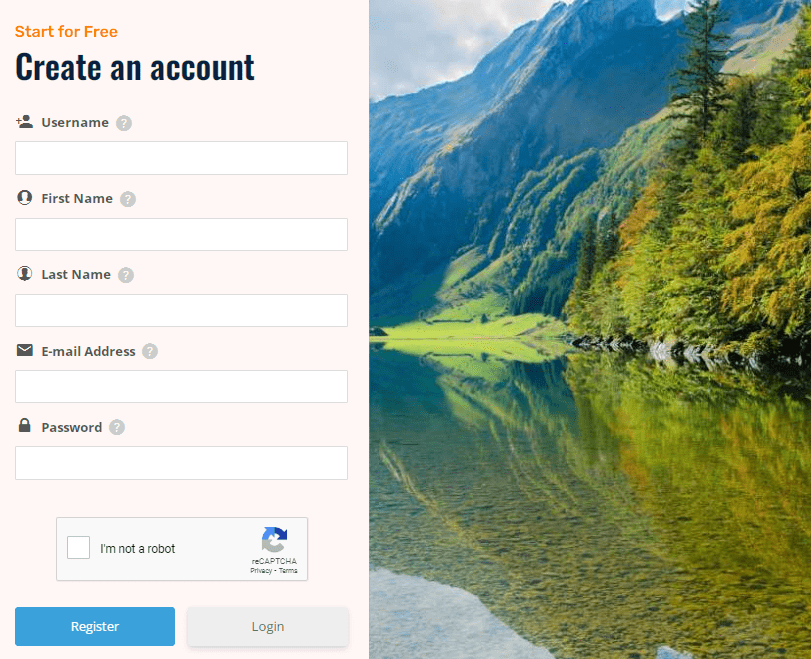
- Fill in your:
- Username which will identify you on the website
- First Name (Your first name and last name will be used on any certificates that you will earn)
- Last Name (Last nameYour first name and last name will be used on any certificates that you will earn)
- Email address which you will use to login, and
- Set your password to login (Your password must contain at least one lowercase letter, one capital letter, and one number)
- Click “Register”
- Please note down your password for further login.
- The website moderators will review your details and send you an email letting you know whether your application has been successful or not.
How to login/logout
- Click the “Login/ Register” button at the upper right corner of the website.
- A login box will pop up and you need to fill in your email address and password.
- Then, you will be logged in.
- After logging in, that button will change to a “logout” button.
- If you want to log out, you can click that button.