
If you have something to discuss about the course or program with other students, you can go to the related discussion group.
- Navigate to “Discussion” page from the menu
- Click on the Discussion group of the related course
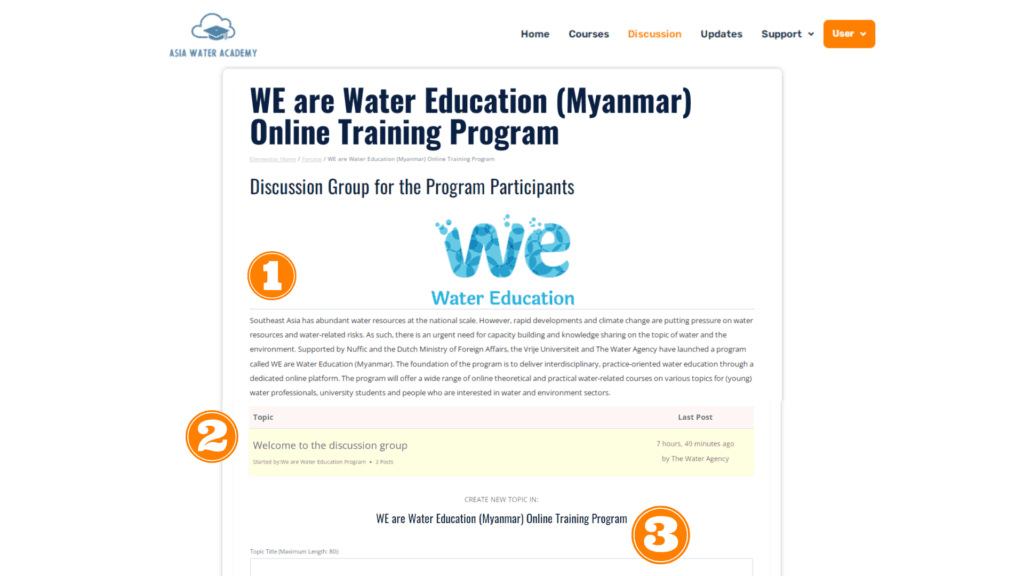
- In the discussion group, you will see:
- Detailed information of the group
- Exisiting discussion topics by the program and other participants
- Textarea where you can create a new discussion topic
Note: You will not be able to join a discussion group if you are not enrolled in its related course.